BACK
How to Update Xano data in Bubble in realtime
If you use Eli’s plugin to connect Xano and Bubble you probably came across the issue of needing to update the data on the frontend as soon as they change in backend. Which is simple enough if the change is triggered from frontend, but what if the DB changes are done by a third party or AI?
Existing realtime feature in the plugin is not the simplest to setup, and it’s on the API group level. Can’t be done with one element.
So I was asked to find a way to to create one webhook, independent of the existing feature, that updates any XanoData or XanoGet in Bubble as soon as the data changes in Xano for an ongoing project. And I did 🥳.
I want to save you the trouble if you ever need this as well. So without further ado ⬇️
Summary: webhook endpoint is called → a temporary value in Bubble DB is updated → based on this value Bubble will know what to refresh
1. Enable backend workflows in your bubble app settings

2. Create a datatype in your Bubble app to hold temporary data
The webhook will be a backend workflow, therefore we will not be able to access the parameters or response in any page of the app. So we will create a datatype that will hold the data we need temporarily.
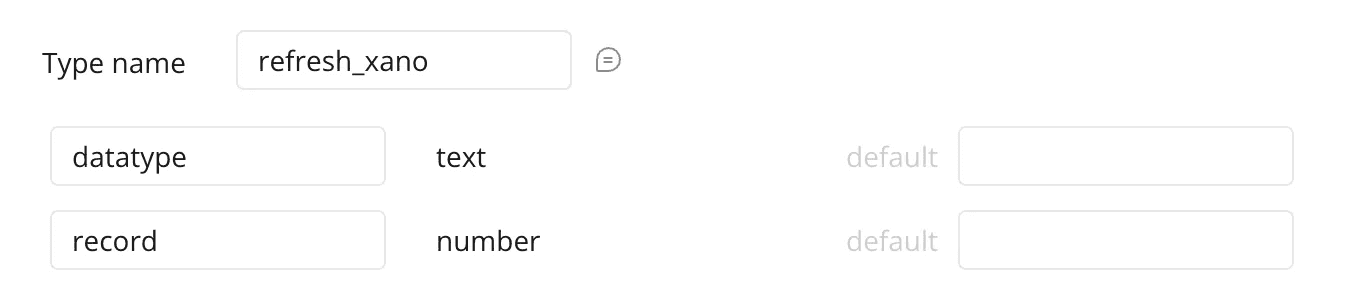
3. Create the backend workflow
this workflow will be called by Xano when the database is changed, allowing us to trigger a refresh in Bubble automatically.
Now, here is the trick:
it should have a parameter that tells Bubble which data type to refresh. If you need more parameters as identifiers you can add them.
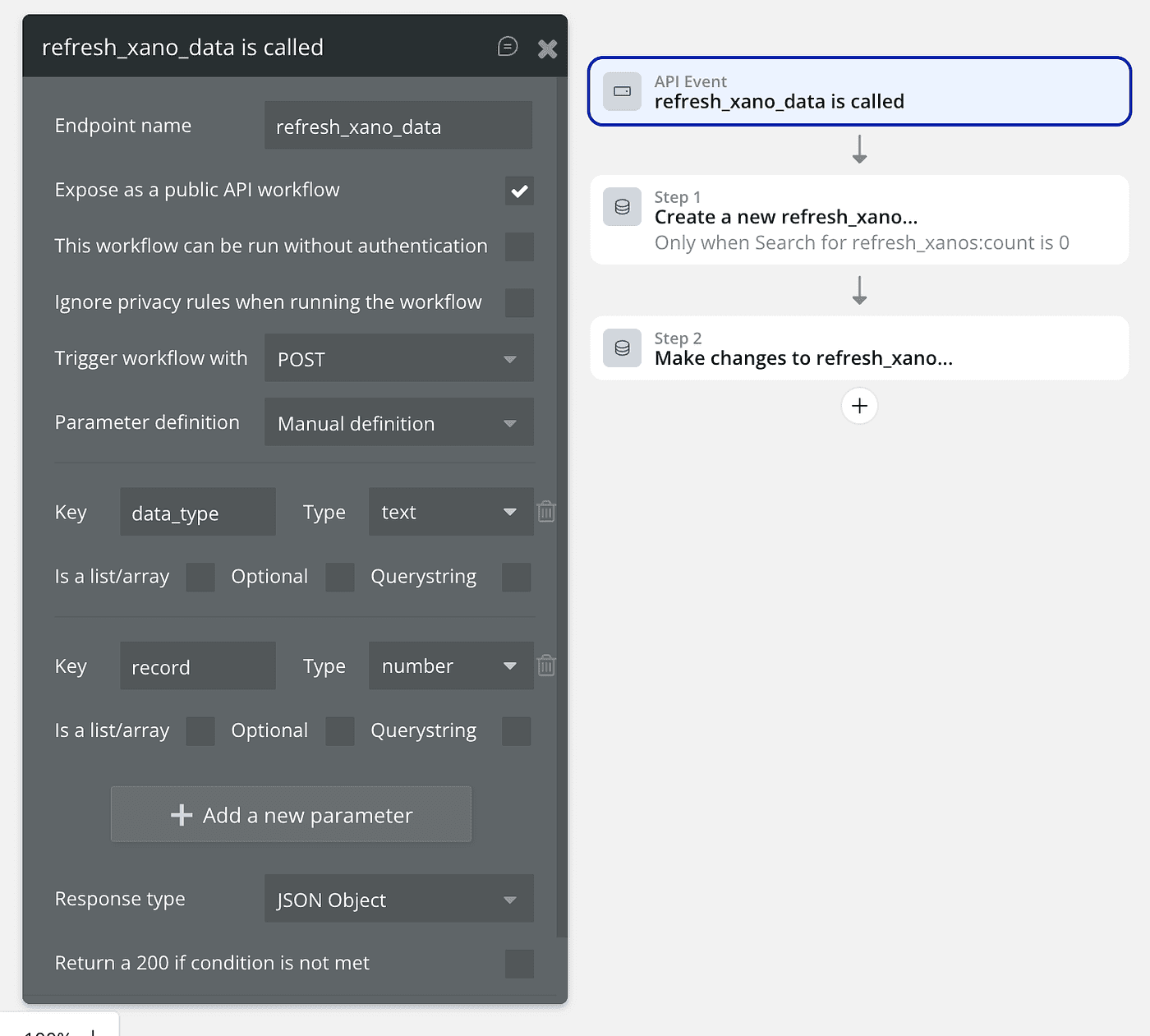
When the endpoint is called, we create a record for this identifier if there isn’t one, then update the data_type with the parameter from the call:
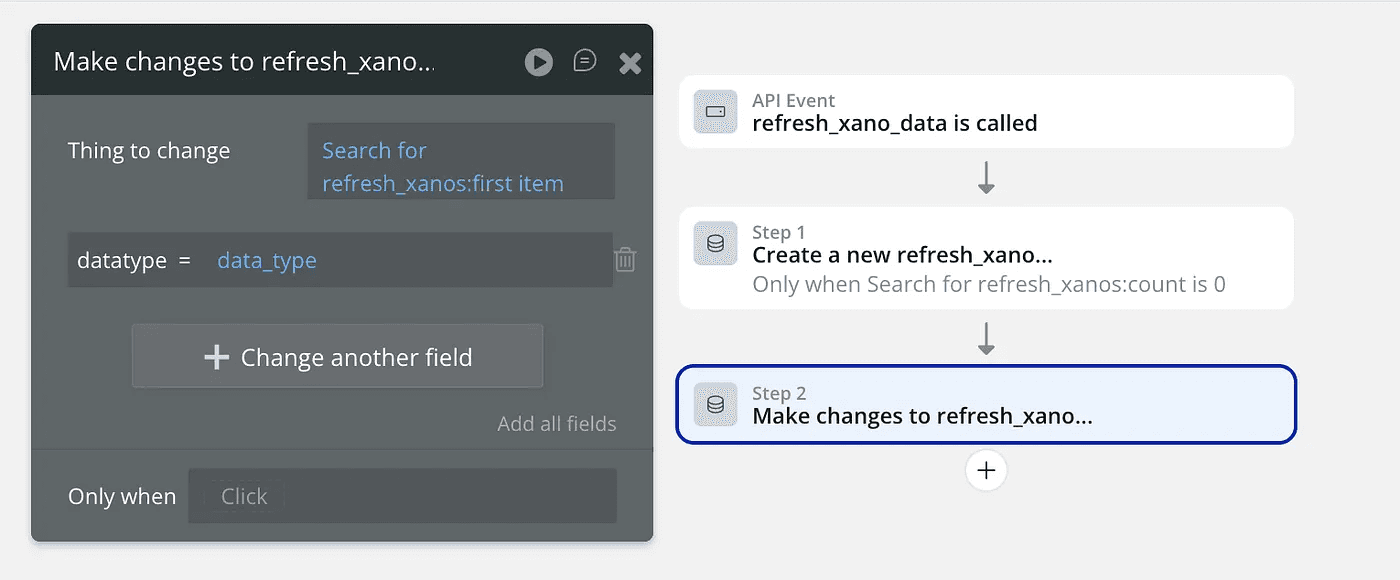
I know you will ask now…
Why send the refresh data type as parameter in the request body not the response?
because it’s easier.
If we configure it so that the request body is empty and the response contains the refresh type it would mean adding one more step in the workflow in Bubble to return data from API, then extract the data from the structured JSON response. Why should we? it’s much easier to just send the type in the body.
4. Map refresh parameters
Decide which XD and XG are to be refreshed and decide what to call the parameter for each one.
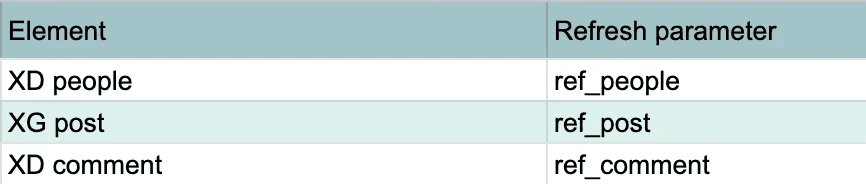
5. Set up the refresh action
5.1 Add a workflow when condition is true → when the relevant refresh_xano record in Bubble is updated: we set this record as a custom state to the page containing the XD elements we want to refresh.
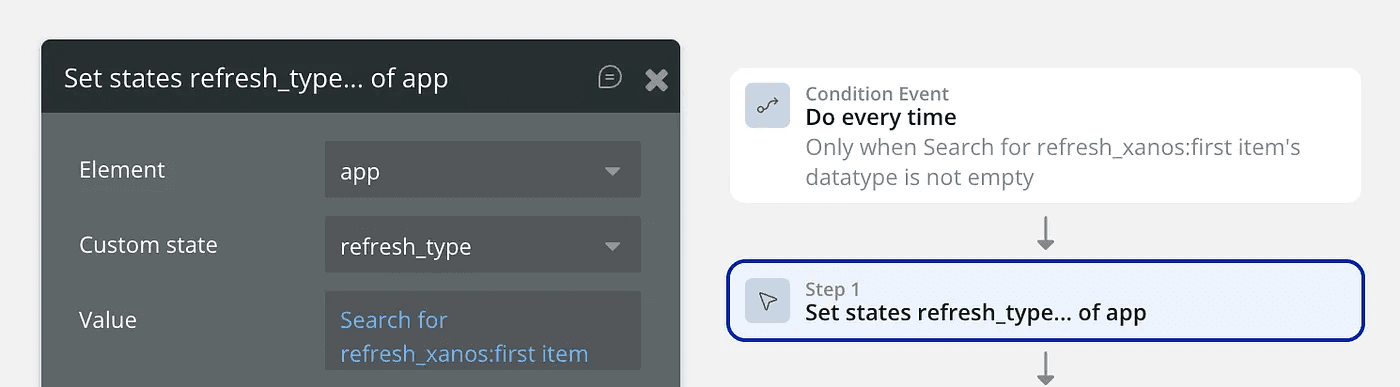
5.2 based on the value changed in this record (which is the refresh parameter) trigger XD or XG refresh:
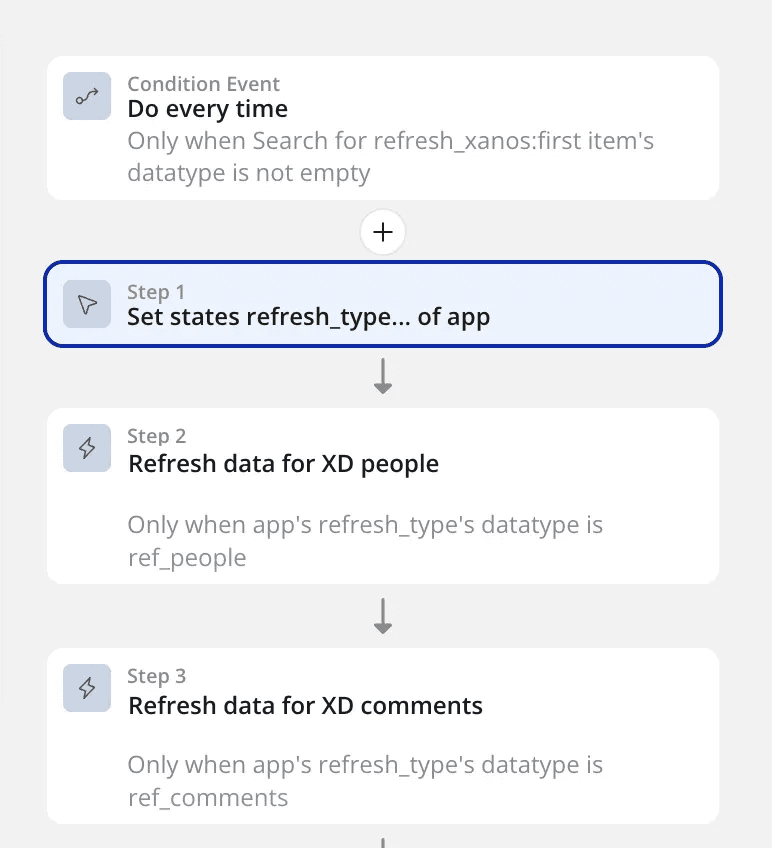
5.3 Then when you have gone through every Xano data/get element. You need clear the refresh type value in the database.
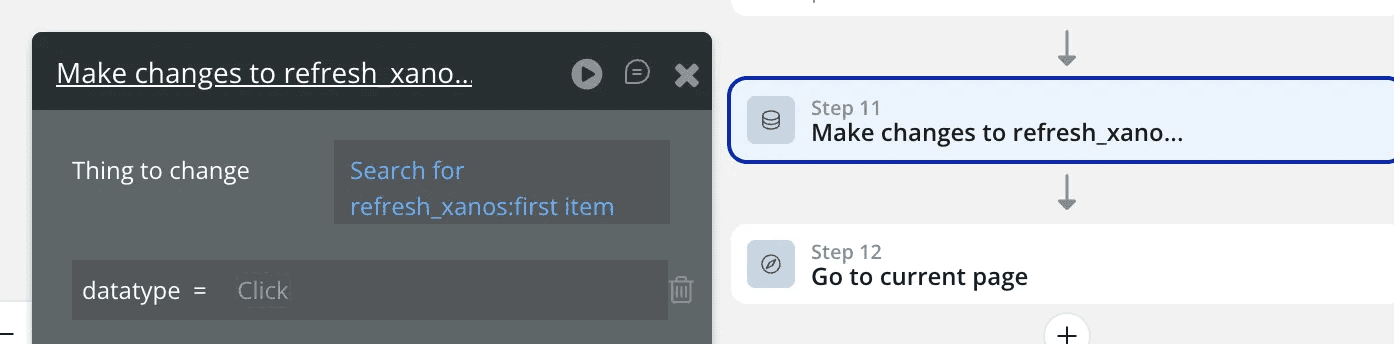
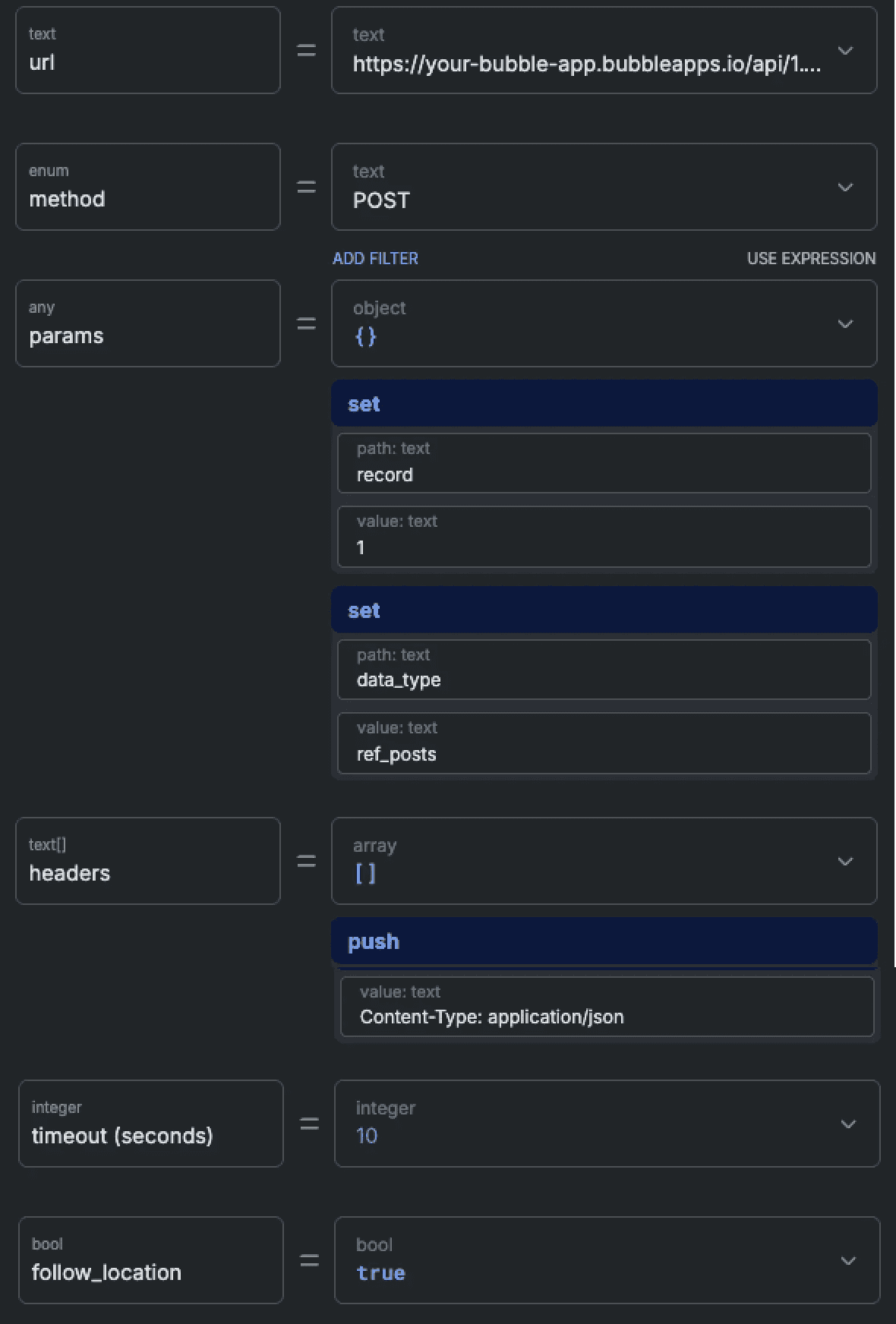
6. Now in Xano, for every relevant post/patch/delete endpoint, you need to add a step in your function stack to send the webhook

The API request setup:
make sure you paste the correct endpoint url. This should be copied from the API tab in your settings page. Add your backend workflow name to the end:
change parameters as your app requires
Test & Enjoy!
load the page containing your data in Bubble. Trigger a post/patch/delete action from outside bubble and watch the data refresh automatically 😎
“What do you despise? By this are you truly known.”
I hate working on bubble apps with an external backend. That makes me wise, not a wuss 😪. But can we do? many founders choose this so we have to live with it. But when people share tips and how-tos life gets a little easier, that’s why I try to do that too.
‘Till next time, lots of love and #keepdesigning and #keepmaking!
More